I’m excited to announce the release of our new renovation/remodeling template!
A highly automated template, perfect for interior renovations and smaller projects that you need to estimate quickly.
Organized by room, this template is a great framework for pricing out smaller jobs (typically <$150k) in minutes
Check Out This Video (12 mins):
https://go.screenpal.com/watch/cZXofXnVlqQ
Upcoming Remodeling Roadmap:
–Dynamic Proposals the Client Can Interact With
–Client Upgrade & Downgrade Options
–Proposal E-Sign
–Floor Plan Scanner
(walk through a home and scan rooms with your Phone/iPad to generate an as-built floor plan)
–and More
Ready to see everything we’ve been improving? Keep reading!
https://go.screenpal.com/watch/cZXofXnVlqQ
–fully configurable dashboard (add columns, delete columns, move columns)
–change column names and colors
–add custom tags
–assign clients to projects
–choose which columns display Project Totals
–toggle to see the List View
When you upload a PDF file that contains multiple sheets, you will now be prompted to choose which sheets you want to include for takeoffs.
This will help you manage larger plan files, so you can remove unwanted pages.
Move item rows, groups, or sections around in the spreadsheet. Easy as Drag & Drop.
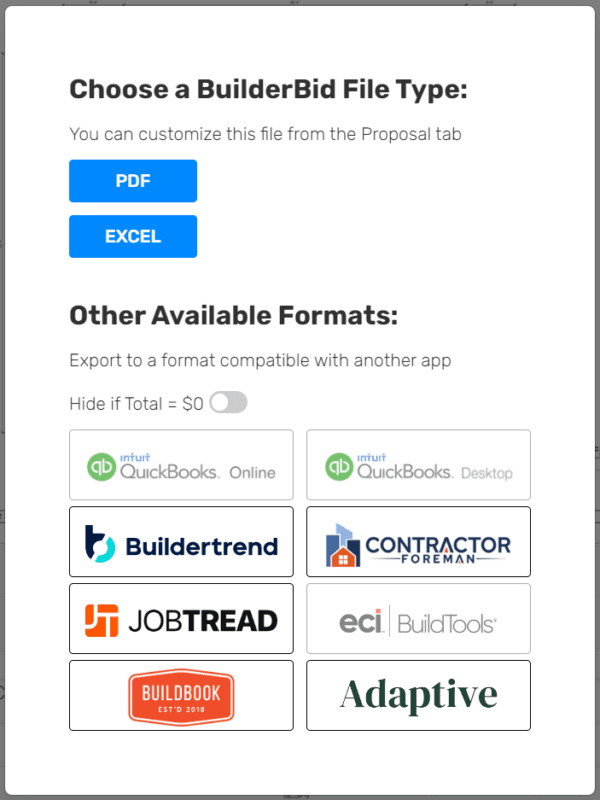
We’re in the process of adding more export file formats, so you can easily transition the project budget to other platforms for actuals tracking.
When you click Export, you will now see the option to export to excel OR to other formats compatible with Buildertrend, BuildBook, Contractor Foreman, etc.
Quickbooks Online and Quickbooks Desktop integrations will be included in a future release.
This feature is in BETA, so let us know if you find any issues
Not seeing your job management platform? Send us a message requesting we add it.
Now you can add a legend box to any sheet. This box shows the visible measurements, along with their quantities and other properties.
We also added a text box tool. You can change the size and color of the text.
For users who assign each line item to a cost code, now you can use the Notes field too!
Toggle between showing the Notes column OR the Cost Codes column at any time, for any project.
If you use the Notes field for describing a longer scope of work, we’ve added a few options for you:
We add a few formatting options to the Proposal “Configure the View” menu to:
#1–Show Row Borders
#2–Show Notes on Next Line
How to Add a Line Break:
#3–When editing the Notes, you can now press Alt+Enter (or Command+Enter on MAC) to break the text to the next line within the same cell.
This will allow you to add bullet points, keep descriptions organized, etc.
Each line break will also reflect on the exported proposal.
For lump sum contract formats where you want to hide your markup within the unit cost:
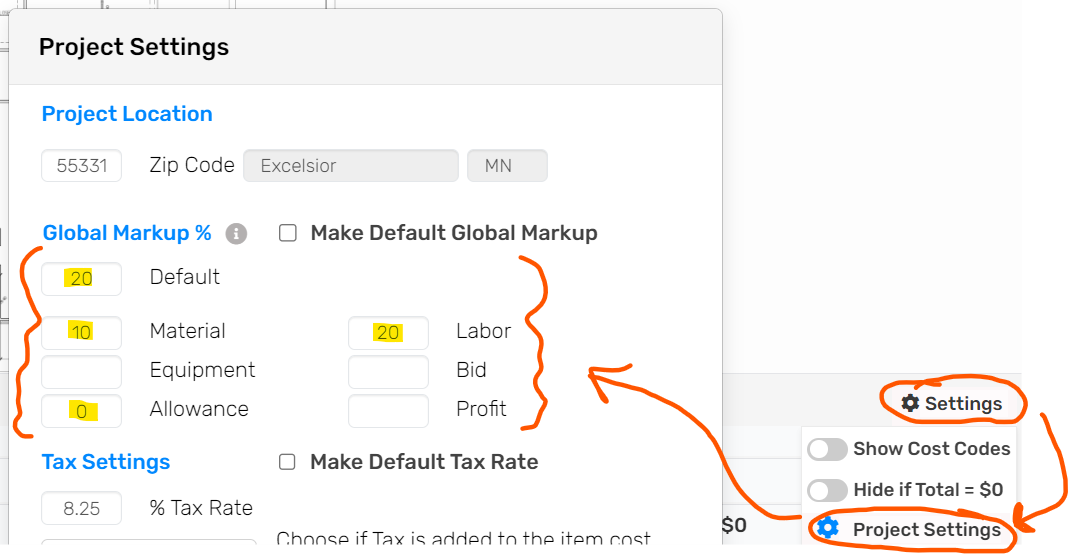
The global markup field now allows you to set the markup by Type
For example maybe you want: materials to get a 10% markup, while labor gets 25%, and allowances are at 0%.
You can access this setting from within a project’s spreadsheet window by clicking on the Settings icon –> Project Settings menu
We added several new fields to the Sub/Vendor details page:
–Address
–Notes
–Upload Files
–Trade Agreement
We also allow you to track COI expiration dates to keep track of Work Comp and General Liability documents from within the platform.
Bid Requests – Set the Reply-To Email: under Templates & Setup -> Bid Requests, now you can set the Reply-To email to help you properly route sub/vendor replies to the bid request emails
Duplicate Template: we added a duplicate template button, so you can easily clone your templates
Duplicate Group: duplicate a group within a section
Import Template into Project: import any template into a project
That’s it for this update. As you can see, we are working hard to improve the platform and are planning some MAJOR updates for Q4!
Send us a message with your thoughts and keep the feedback coming our way.
This month we upgraded the performance of several backend systems and focused on various internal updates to prepare the application for the future.
Enjoy our most stable build ever.
Now we’re full speed ahead working on the next release!
Lumber takeoffs just got easier!
The all-new Joist Tool is a powerful new addition to your takeoff tool belt
Check out the animation below to see how it works
Easily Adjust For:
–Unit of Measure
(Each = # of Joists)
(LF = Linear Feet of Joists)
(SF = Square Feet of Joists)
–O.C. Spacing
–Ply
–Joist Direction
–Removal of Joists
–Pitch
(use this to turn the joist tool into a rafter tool)
–LF of Rim Board
Try it out, then let us know your feedback and ideas for enhancing this tool!
Now you can update your template directly from a project.
Want to make a permanent change to your template (ex: item name, item cost, waste factor, etc.)?
We’ve added a convenient way to update the properties of any line item, right from the project.
This feature will update the following fields:
Item name, notes or cost code, unit, cost per, type, waste factor, markup, tax setting, and roundup value
The count tool now has additional shapes you can choose from:
–circle, diamond, square, triangle, and plus sign
We’ve also enabled you to multiply each count node by a factor set by you
Example Use Cases for “Adjust Quantity”
–if you know you need 16LF of trim around a door, count the doors and adjust quantity x16
–count block piers and use this field to multiply by the number of CMU blocks per pier
–electrical drops to calculate the length of wire, etc.
Click the gear icon next to any line item to set the quantity to Round Up or Round Down
This is helpful to avoid ordering a partial box of fasteners, a partial bag of mortar, or half yard of concrete
We are creating a best-in-class method for requesting and organizing your bid requests (RFQ’s)
We have implemented several new features to give you more visibility of undeliverable emails and SMS messages
(sometimes due to a typo in the email address or carrier restrictions out of our control)
As well as control over ensuring your subs & vendors still have a way to access the link to submit a bid
Improvements include:
–A new “Copy Link” feature, so you always have the option to manually send out a link to the bid submission page
–The ability to track if an email is opened (we added a new bid request status to differentiate between an opened/read email and a sub that accessed the bid submission page
—new icons showing the deliverability status of emails and/or SMS messages
(these icons will turn RED if a message was not able to be delivered)
Choose between an option box and a drop-down box for each row in the specifications form
The new “Drop-Down Box” feature allows you to show only the selected option
While the “Option Box” choice shows all available options, including those not selected
We’ve improved how the Allowances report looks when using groups
You can also hide certain columns, remove rows that do not apply, and show total without markup
We are working to release our pre-built framing assemblies
This allows you to pull in specific framing assemblies to any project or template
This includes:
–Floor Framing
–Wall Framing
–Ceiling Framing
–Roof Framing
–Headers, Beams, & Posts
–Hardware & Fasteners
–& More
For convenience, we’ve also linked these items to the cost database, so the pricing automatically updates based on the project location
Check back soon for more info!
BuilderBid is on a mission to automate the estimating process for builders and contractors
We want to make your life easier, get you some major time back, and help you price jobs more accurately.
Over the last 18 months, we have performed extensive research and interviews into the problems with existing takeoff and estimating services. We’ve crafted a model to solve this that will provide a much better experience and end result.
This includes:
A special thank you to the builders and contractors who participated in the takeoff service pilot program!
We have already completed more than 100 projects in the last 6 months in the pilot program. The feedback has been incredibly helpful as we build this out.
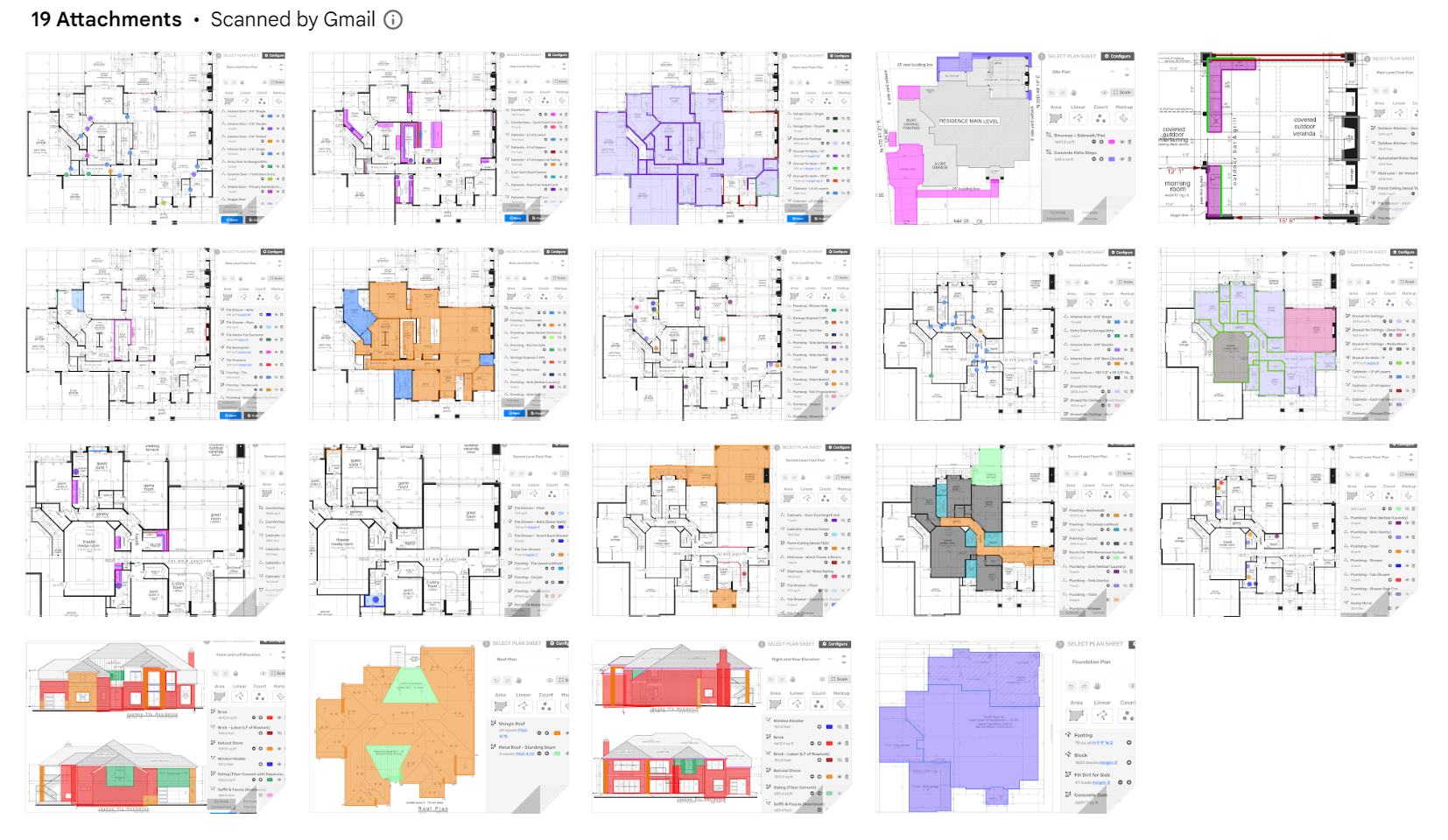
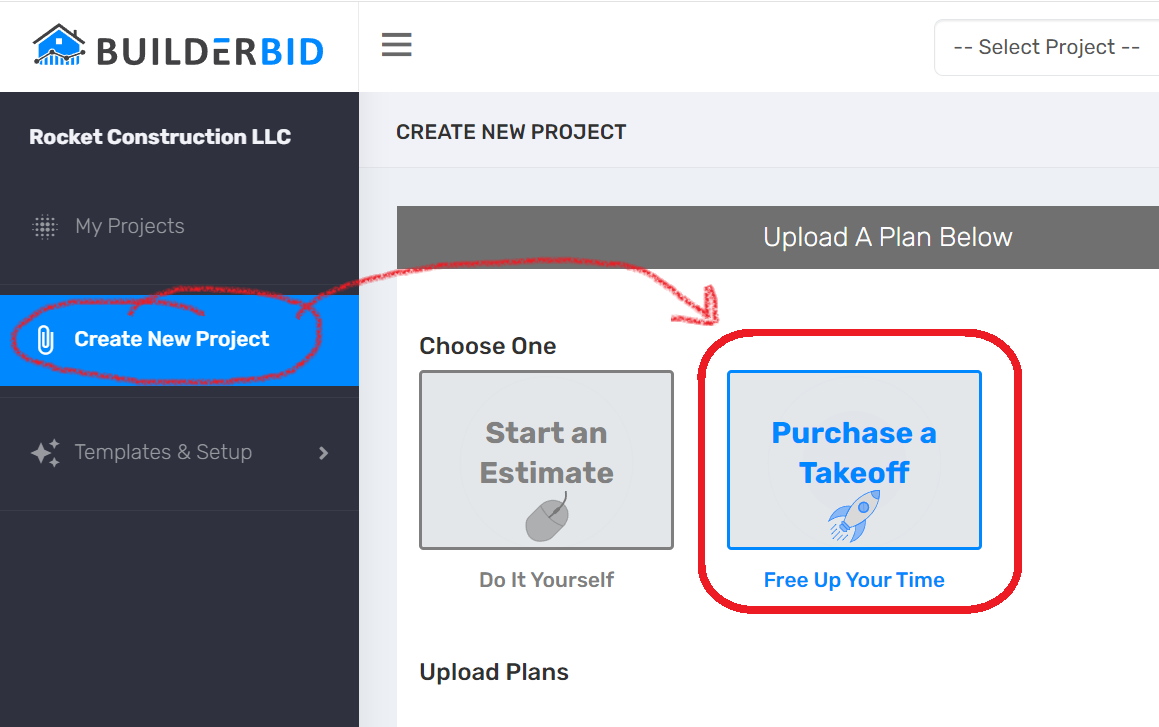
To request a takeoff for your next project, simply select “Purchase a Takeoff” from the Create New Project screen
Will we see you in Las Vegas?
Come by and talk to us at booth W4177
We’d love to talk estimating with you, update you on what’s new, and fill you in on our product plans for 2024
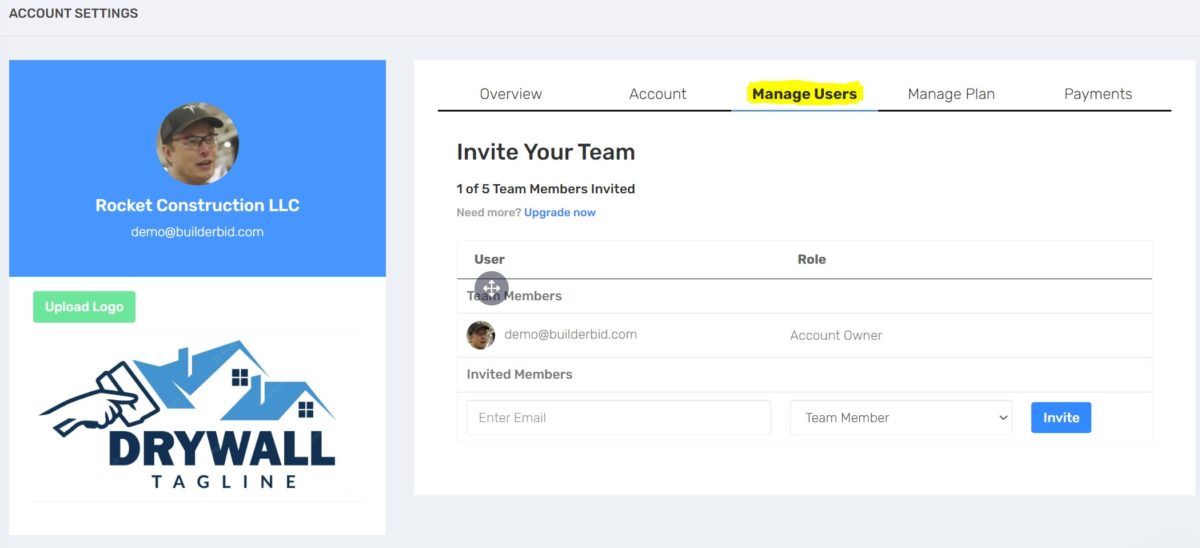
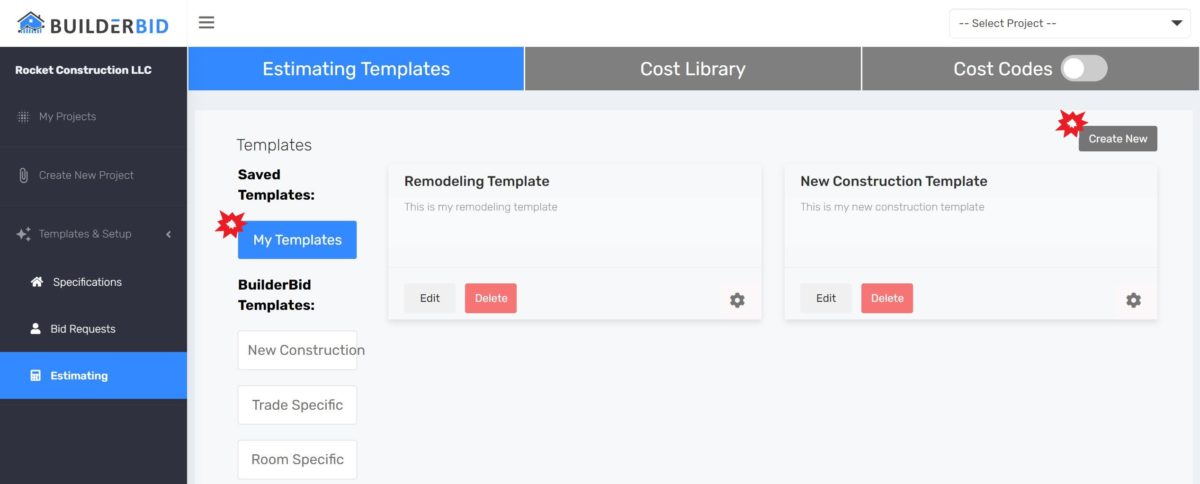
Now you can create as many estimating templates as you need!
Reminder: if you need help importing a spreadsheet or setting up a template, reach out to us
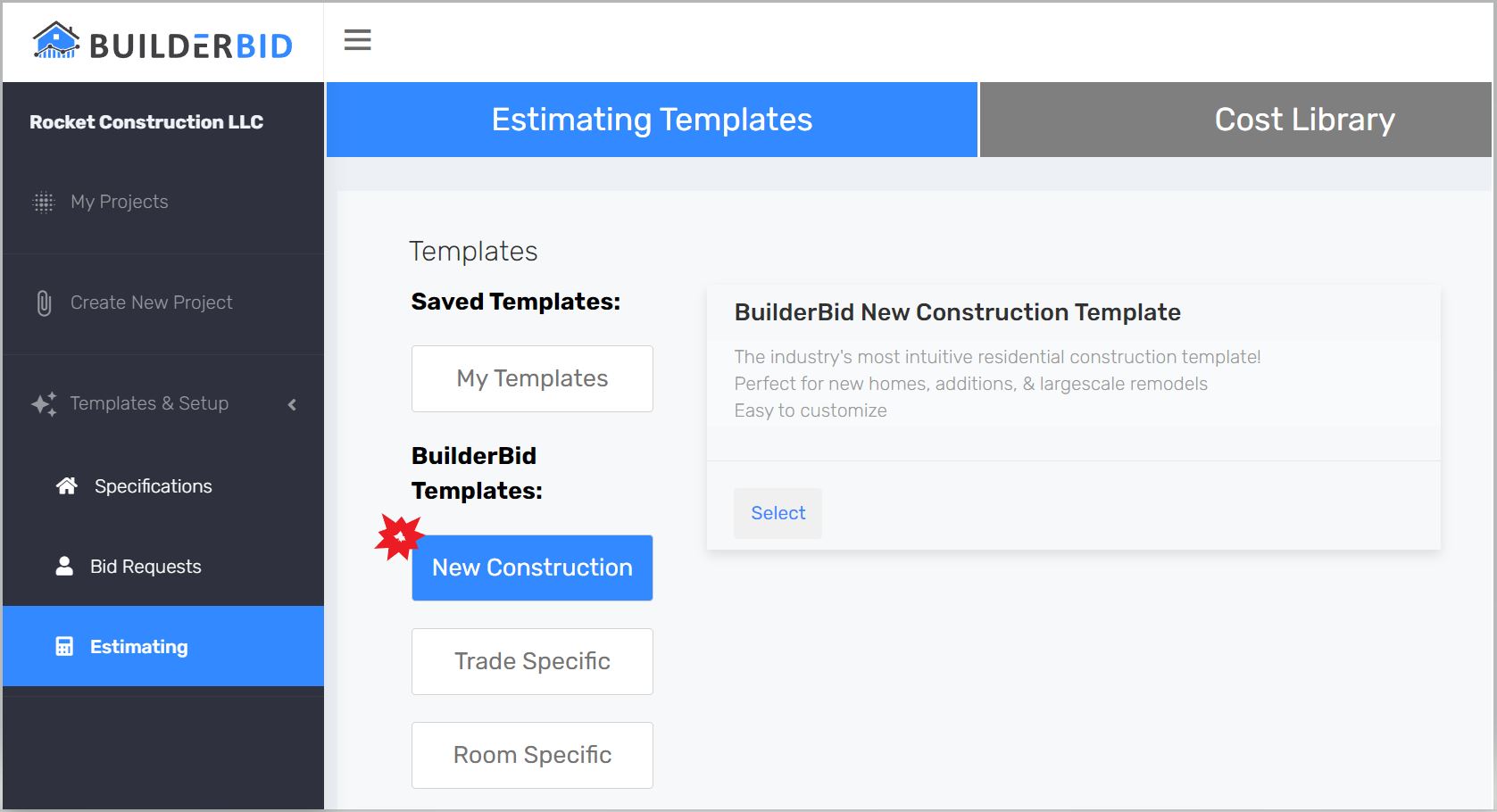
We’ve made it easy to pull in BuilderBid’s Residential New Construction Template
This template is easy to customize & comes pre-built with easy to understand assemblies, placeholders for key bids, and more
If you would like a tour of this process, schedule some time with us
Note: we’re planning to release more best-in-class templates for specialty trades & renovation companies in the coming months
Press the SHIFT Key before you add your first point to a measurement to toggle between the box tool and point-to-point tool
Easily switch back and forth as you measure different areas on the plans
Additionally, you no longer have to hold down the SHIFT Key to turn off the snap-to-90-degrees feature, just click SHIFT to enable/disable this feature while you’re in a measurement
Area measurements (SF) can be converted to perimeter lengths (LF)
Check out this quick video for an example use case that allows you to measure flooring and trim in one swoop!
We made some improvements to the Allowances report, to give you control over what information is displayed
We tweaked the line items view within proposals to ensure a better viewing experience
We are testing out a new function in the spreadsheet where only one section is open at any one time
Please let us know your feedback: is this better or did you like it when all sections were visible at once?
We now automatically hide the spreadsheet window when you launch a measurement
Tip: just press the ENTER or ESCAPE key to complete an active measurement (to make the spreadsheet re-appear)
When items are added to the project from the cost database, we now add sales tax to materials by default
You can still toggle “With Tax” OFF if you choose
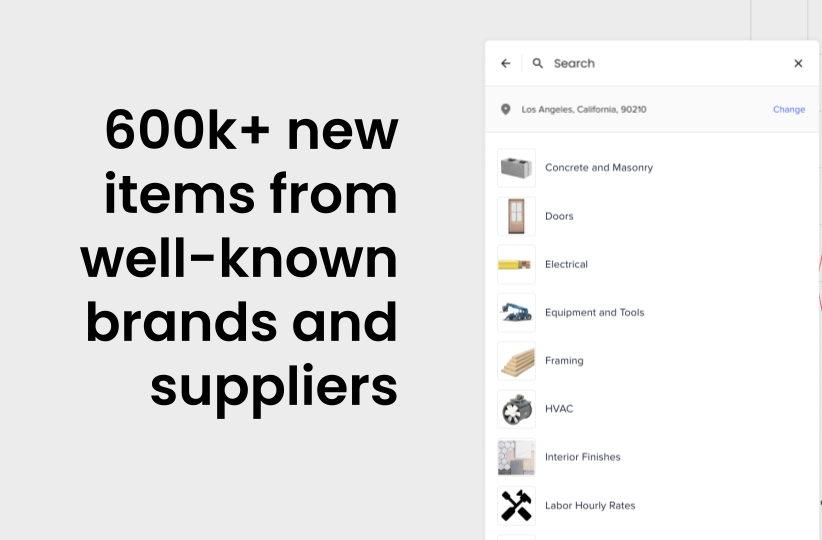
BuilderBid’s Pricing Assistant gets a major upgrade ?
The revamped catalog layout makes it easier to find the right items
600k+ new supplier items in your area have been added from suppliers like Ferguson’s / Build.com, LL Flooring, etc… (and more coming soon)
Estimating a project that’s similar to one you’ve already completed?
No need to start from scratch
Now you can use the “Copy from Project” feature to import an estimate spreadsheet from another project
We are working to build out a library of pre-built assemblies for every trade
You will be able to search the BuilderBid library for assemblies that you can pull right into your template or project estimate
Soon, these assemblies will be setup so they are takeoff-ready:
–measurements setup
–linked to live costs from the pricing database (when possible)
Note: this feature is still in Beta and will be enhanced in the coming months
We plan to add many more assemblies and implement an easier, more visual way to search
We fixed the spreadsheet scrolling bug
We addressed an issue where the scale could not be automatically identified on certain PDF files
Plus we made 39 other minor improvements or bug fixes throughout the app
So you can enjoy a more seamless estimating experience
For example, now perform certain actions with fewer clicks:
Changes you make to measurement properties & Waste/Markup/Taxes now update immediately (no need to click Save)
Global Markup can be used when you want to markup most line items and hide the markup amount within the unit cost.
We added two options in the Project Settings window, so you can set default values for the global markup, tax rate, and tax settings. This will automatically default future projects to those settings.
Have questions about the best way to apply your profit & overhead the way you’re used to? Reach out to our team for assistance.
The UI now automatically adjusts to display the Preview & Proposal tabs in full screen view
If you like to classify your line items by Type, then you can now use this new Summary-level report
which will break out the total cost by Type
Tip: select “Hide if Total = $0” to hide any columns/rows that do not apply
If you like to classify your line items by Type, then you can now use this new Summary-level report
which will break out the total cost by Type
Tip: select “Hide if Total = $0” to hide any columns/rows that do not apply
We added the engineering scales to our scale tool (1″ = X’)
Found a scale we don’t have in the list? Let us know!
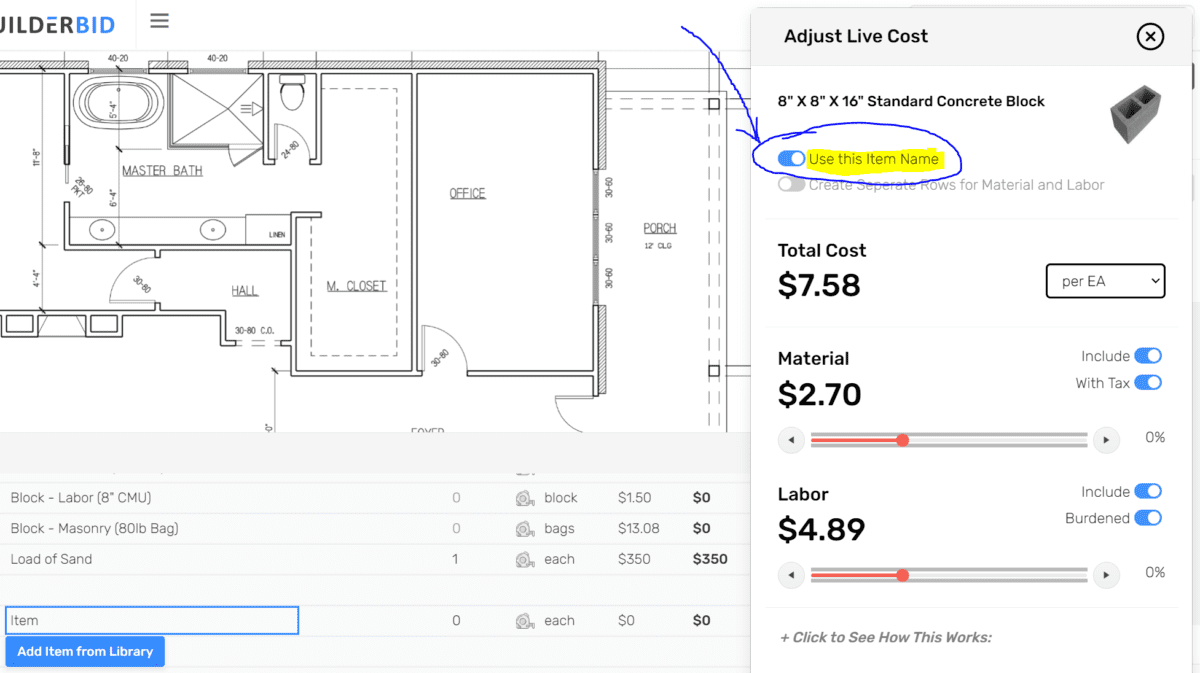
BuilderBid’s new Pricing Assistant is live ??
We are making it even easier to predict your costs and stay ahead of rising prices
Now you can look up labor & material prices for your area (on more than 25,000 items)
Link an existing line item to a live cost in our catalog
OR search for new items to pull into your estimate template
Easily adjust the live cost up/down if needed
We’ll keep an eye out for prices increases and automatically adjust your template cost when we hear about a change
The spreadsheet feature just got a big upgrade
Now we can smoothly handle larger spreadsheets
With the next release, we’re planning additional improvements to the speed and responsiveness of the spreadsheet tool
((soon we’ll be able to handle 1000+ line items with ease))
We made it so you have the option to organize line items into groups.
Groups can be collapsed/expanded before export, so they can be used to shorten the estimate or just to hide extra detail you don’t want to show the customer.
Now you have more flexibility to customize how the budget looks for your client
The “Configure the View” menu allows you to customize what rows/columns are visible, before you export
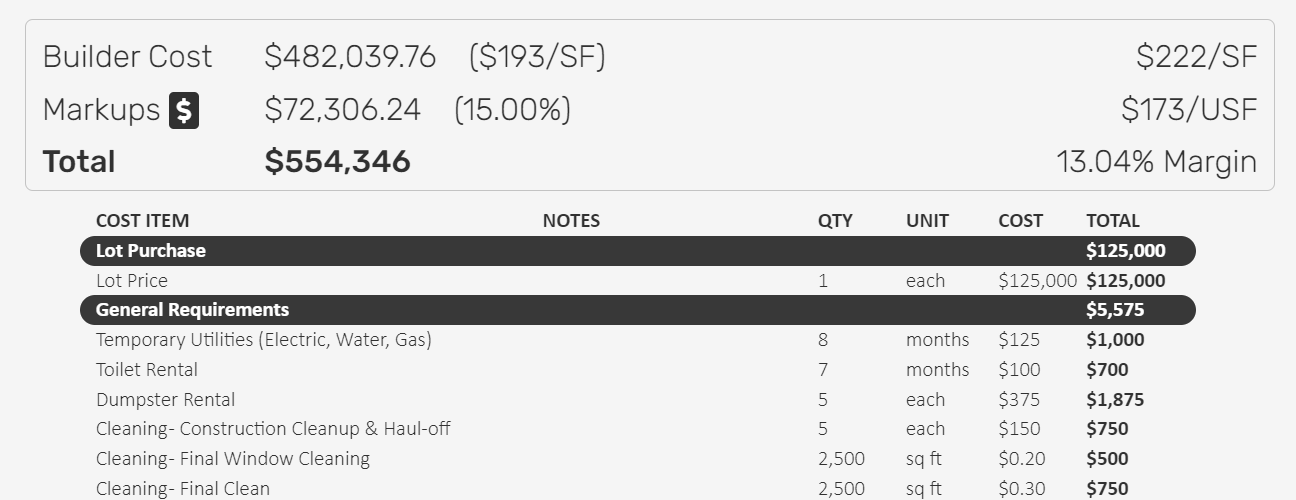
We’ve added an analytics section to the top of the Preview tab to summarize key metrics for your project, including:
-Builder Cost vs Total Price
-Markup vs Margin
-$/SF vs $/USF
In the future, we’ll be adding more visuals here (ex: pie chart summary)
We’ve added a new view on the preview tab called ‘Allowances‘
This page will display any items from your spreadsheet that are marked as Type = Allowance
In your estimate template, mark any Material Allowance line item as an Allowance, so they automatically show up in this report
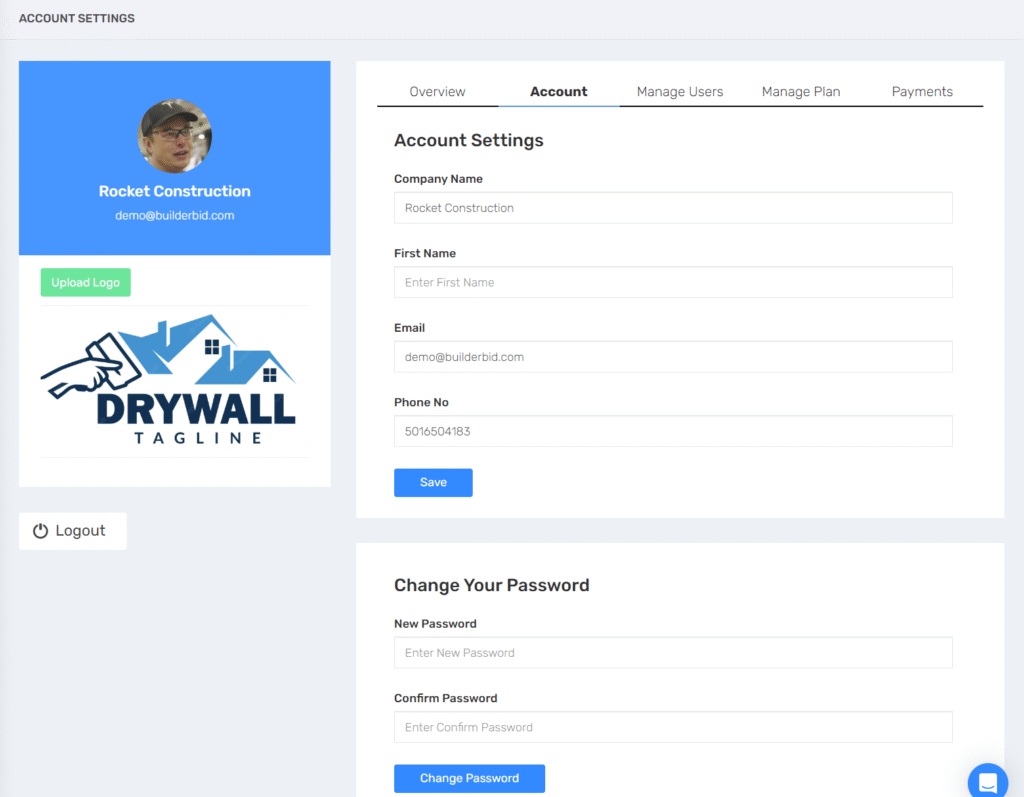
We’ve re-organized the My Account page to make it easier to use
We’re also in the process of upgrading our payment system, so you can view payments, download receipts, manage payment methods, etc.