
Track your project budget in real time with BuilderBid’s new Job Costing tools.
You can now compare estimated costs vs. actual costs as bills, expenses, and change orders are recorded throughout the project.
Any project you’ve estimated in BuilderBid will show up on the Job Costing screen.
Easily customize the table and toggle between section view or cost codes view.
This helps you:
–Monitor profitability on every job
–Identify budget overruns early
–Keep your project financials organized in one place
–Always know where your project stands: budget tracking automatically updates as you enter costs during the build
Pay vendor bills faster with AI-powered bill processing.
BuilderBid can automatically read vendor invoices/receipts and extract key details such as:
–Vendor name
–Invoice amount
–Due date
–Job or cost category
The system prepares the bill for review, so you can approve and pay it in seconds.
This helps reduce manual data entry and keeps your job costs up to date automatically.
Capture and organize job expenses from anywhere.
The new Bill Inbox lets you bulk upload invoices or have invoice emails automatically forwarded into the Bill Inbox queue.
The system automatically scans the document and prepares it for review.
You can also use the mobile app to snap photos of receipts, which are instantly uploaded to the correct project.
This makes it easy to:
–Keep track of vendor invoices
–Record job expenses in real time
–Avoid losing receipts or paperwork
Easily manage owner/bank draw requests for your projects.
BuilderBid now helps you generate professional draw requests based on the work completed and costs incurred on the job.
You can:
–Track project costs and progress
–Create draw request summaries
–Share clear documentation with clients or lenders via magic link URL & excel/PDF reports
This makes it easier to maintain cash flow and keep project finances organized.
Sync your project financials with our fully-featured QuickBooks Online integration.
BuilderBid now integrates with QuickBooks to keep your accounting and job costing aligned.
You can sync:
–Projects, Customers, or Sub-Customers (Jobs)
–Bills and expenses
–Vendors
–Cost codes
You can fetch pre-existing project costs from QuickBooks in just a few clicks
We’ve enabled both “push” and “pull” sync methods
This ensures your accounting records stay accurate while avoiding double entry.
Keep track of subcontractor W9’s and insurance certificates automatically.
BuilderBid now helps you monitor important compliance items like:
–W9 Form Requests
–Certificates of Insurance (COIs)
–Expiration dates
–Subcontractor coverage status
The system alerts the insurance contact when documents are missing or about to expire, so you can stay compliant before work begins.
When COIs are uploaded, BuilderBid automatically scans the document, extracts coverage limits and important policy details, and determines the subcontractor’s insurance coverage status.
Audit Reporting Tools – Coming Soon
Plan and manage your projects with BuilderBid’s new Scheduling tools.
You can now build project schedules, organize tasks, and track progress from start to finish. Keep everyone aligned on the project timeline.
Easily import a schedule template and customize it for your company (more templates coming soon!)
Scheduling helps you:
–Plan each phase of construction
–Coordinate subcontractors and crews
–Track progress and upcoming work
With everything organized in one place, it’s easier to keep projects moving and avoid delays.
Create and manage Change Orders quickly when project scope changes.
BuilderBid allows you to generate professional change orders that clearly outline the updated scope, pricing, and impact on the project timeline.
Use AI to help you generate change order descriptions.
Share with clients via magic link URL, including E-Sign approval.
You can:
–Add or modify line items from your estimate
–Track change order approvals
–Keep project financials accurate as changes occur
This helps ensure both you and your client stay aligned whenever adjustments are needed during the project.
We’ve already added several key features to the NEW BuilderBid Mobile App:
–Receipt Capture
–Change Orders
–Scheduling
–Lead Management
View schedules, manage change orders, and upload receipts directly from the BuilderBid mobile app.
Whether you’re on the job site or meeting with a client, you can quickly view project schedules, upload receipts, and create or approve change orders from your phone.
This makes it easy to:
–Check the schedule while on-site
–Communicate updates with your team
–Capture change orders immediately when changes happen
BuilderBid keeps your project information accessible wherever the job takes you.
BuilderBid now lets you share proposals that clients can easily review online.
Collect electronic signatures for approvals and allow clients to review the details and approve the project without printing or scanning documents.
This helps you:
–Speed up proposal delivery
–Accept E-Sign for approvals
–Reduce back-and-forth emails/paperwork
Present any estimate as an interactive proposal for your client.
Instead of sending static PDFs, you can now share proposals by setting up “Selections” for any line item.
This allows your clients to explore the estimate, review options, upsell themselves, and configure the project to their liking.
All while seeing the total price update in real-time.
Interactive proposals help you:
–Deliver a more professional proposal experience
–Present options to your client so they can upgrade or downgrade themselves
–Give clients confidence in what they’re approving
This gives clients more control and an “ecommerce” like shopping experience as they finalize the budget for the project.
Reach out to us if you’d like to learn more about how to setup Selections in your template
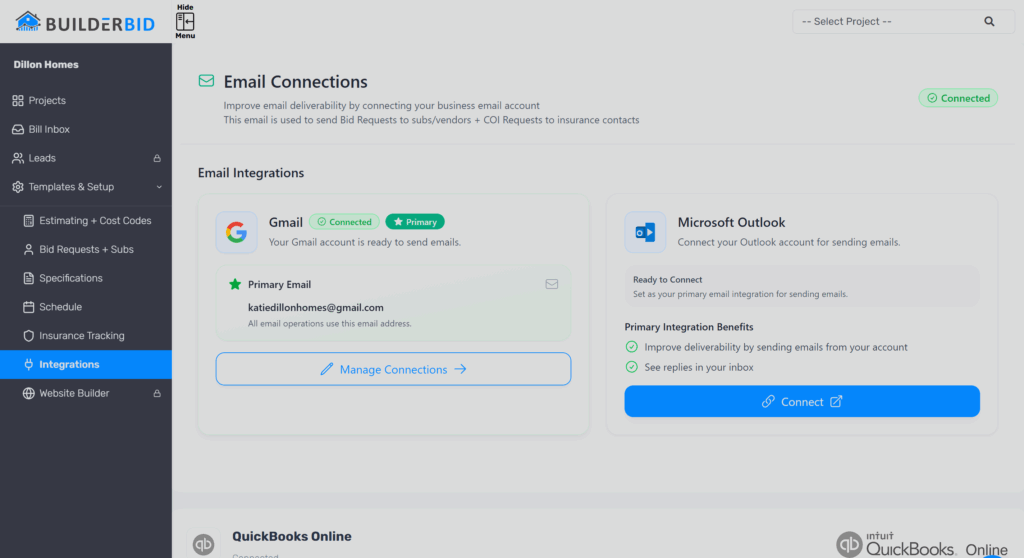
Send bid requests & COI requests directly from your own business email address.
With the new Gmail & Outlook integration, BuilderBid can send emails from your company’s email instead of a system-generated email address.
This ensures:
–Improved Email Deliverability & Reply Rates
–Clients recognize who the message is coming from
–Your communication stays consistent with your brand
note: you can still set a separate “Reply-To” email from the bid request settings
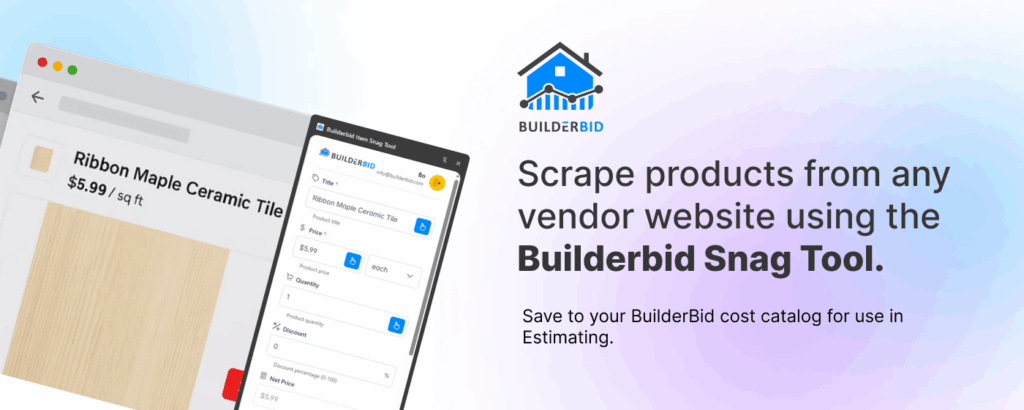
Capture items (with live pricing) from any supplier website with the Item Snag Tool.
When browsing vendor or supplier websites, you can quickly grab product details and add them directly into your BuilderBid Cost Library or Project Library for use in the estimate.
The tool helps you:
–Quickly import product descriptions, images, and live pricing for any item you can find online
–Build a library of commonly used materials
It’s a fast way to turn supplier product pages into estimate-ready items.
Download the Chrome Extension for Free:
https://chromewebstore.google.com/detail/builderbid-item-snag-tool/odfjnbgccchffjldhlagmocajpipbgia?pli=1
Generate takeoffs faster with AI-powered measurements.
Phase I is released for floor plan analysis including:
–Walls
–Rooms
–Doors
–Windows
–Symbol Search
–Table Lookup
BuilderBid’s AI Takeoff tool can analyze floor plan sheets to help automate key measurements and quantities.
This can drastically speed up measuring trades such as flooring, insulation, drywall, trim, lighting/fixture counts, and more.
Note: Table Lookup & Symbol Search works on any sheet (ex: electrical/lighting plans).
AI Takeoffs help you:
–Speed up estimating workflows
–Capture measurements from plans more efficiently
–Reduce manual takeoff work
This feature is available as a $60/month add-on. Message us if interested!